Erste Schritte mit WATCH4ME
Noch nie mit so einem Tool gearbeitet? Kein Problem. Diese Anleitung bringt dich von null zu deiner ersten KI-Zusammenfassung — und danach zu einer Pipeline, die ohne dich läuft.
Echte Transkription
Keine automatischen Untertitel: Jedes Video durchläuft unsere eigene Sprach-zu-Text-Verarbeitung in Studioqualität — u. a. in Deutsch, Englisch, Französisch und Spanisch.
Analyse & Verdichtung
Verdichtet jedes Transkript zu Zusammenfassung, Kernthemen und Signalen — mit deinem Fokus als Vorgabe, damit du nur liest, was für dich zählt.
Webhook-Zustellung
Liefert die fertigen Ergebnisse automatisch an dein CRM, deine Wissensdatenbank oder eigene Anwendungen — über sichere, zuverlässige Webhook-Endpunkte.
Anmelden
Öffne die App und melde dich mit Google an (oder mit der E-Mail-Adresse, für die du eingeladen wurdest). Beim ersten Mal fragt dich WATCH4ME in drei kurzen Schritten nach deinen Themen, deinem Rhythmus und passenden Kanälen — überspringen geht auch. Danach siehst du die Seitenleiste: Dashboard, Mediathek, Zeitpläne, ASAP Modus, Benachrichtigungen und Webhooks.
Video hinzufügen
Klick auf Quick Add — das „+“ in der oberen Leiste — und füge eine YouTube-URL ein. Das Video landet sofort in deiner Mediathek.
Transkribieren
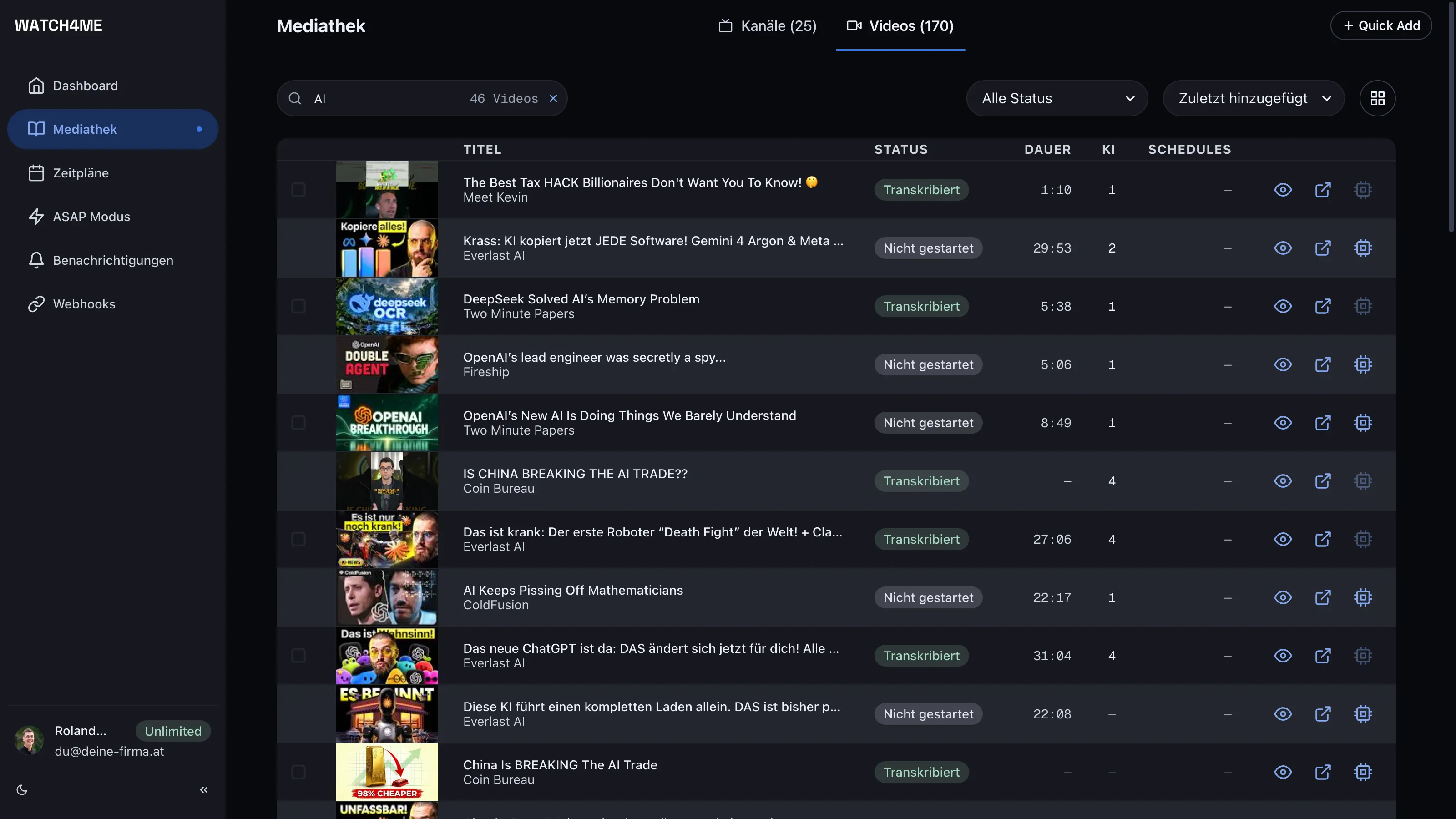
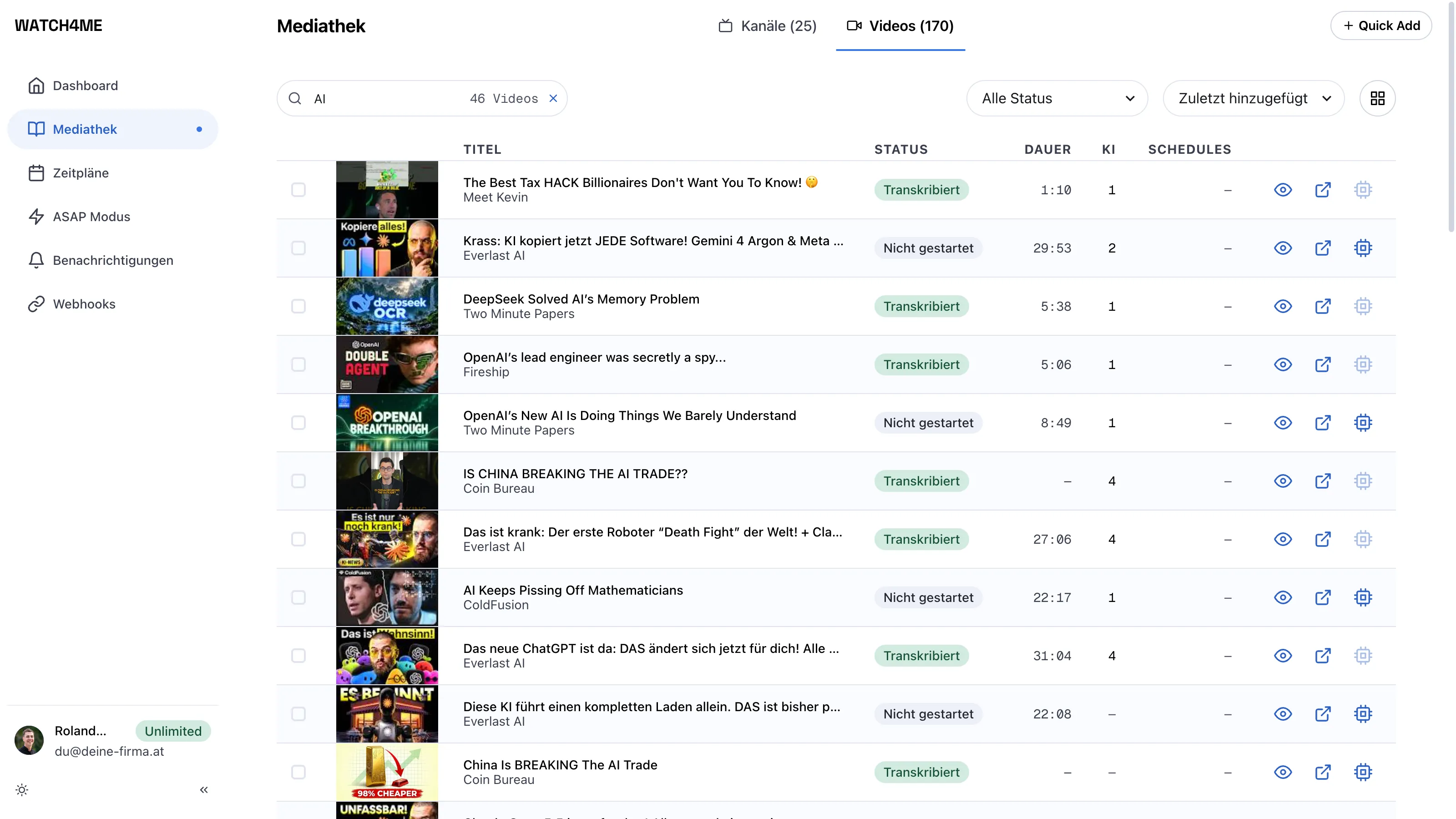
Fordere in der Mediathek ein Transkript an. WATCH4ME extrahiert den Ton und erzeugt daraus präzisen, durchsuchbaren Text. Sobald es fertig ist, wechselt der Status auf Transcribed.
Mit KI zusammenfassen
Sobald ein Video transkribiert ist, wähle Verarbeiten und du bekommst eine Zusammenfassung, die wichtigsten Themen und Insights, die du lesen oder weiterverwenden kannst — nach dem Fokus in deinen Prompt-Templates.
Einen ganzen Kanal überwachen
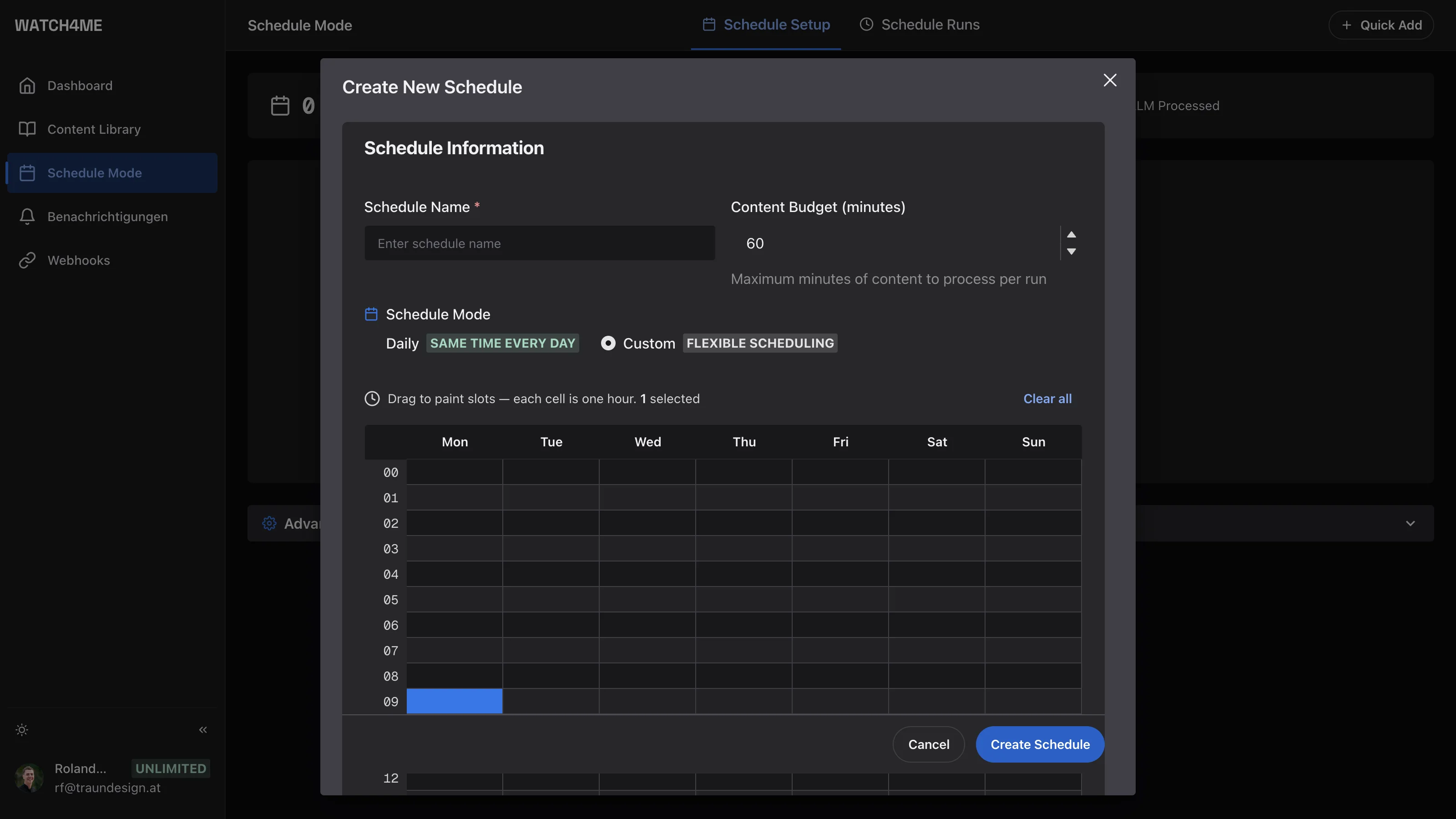
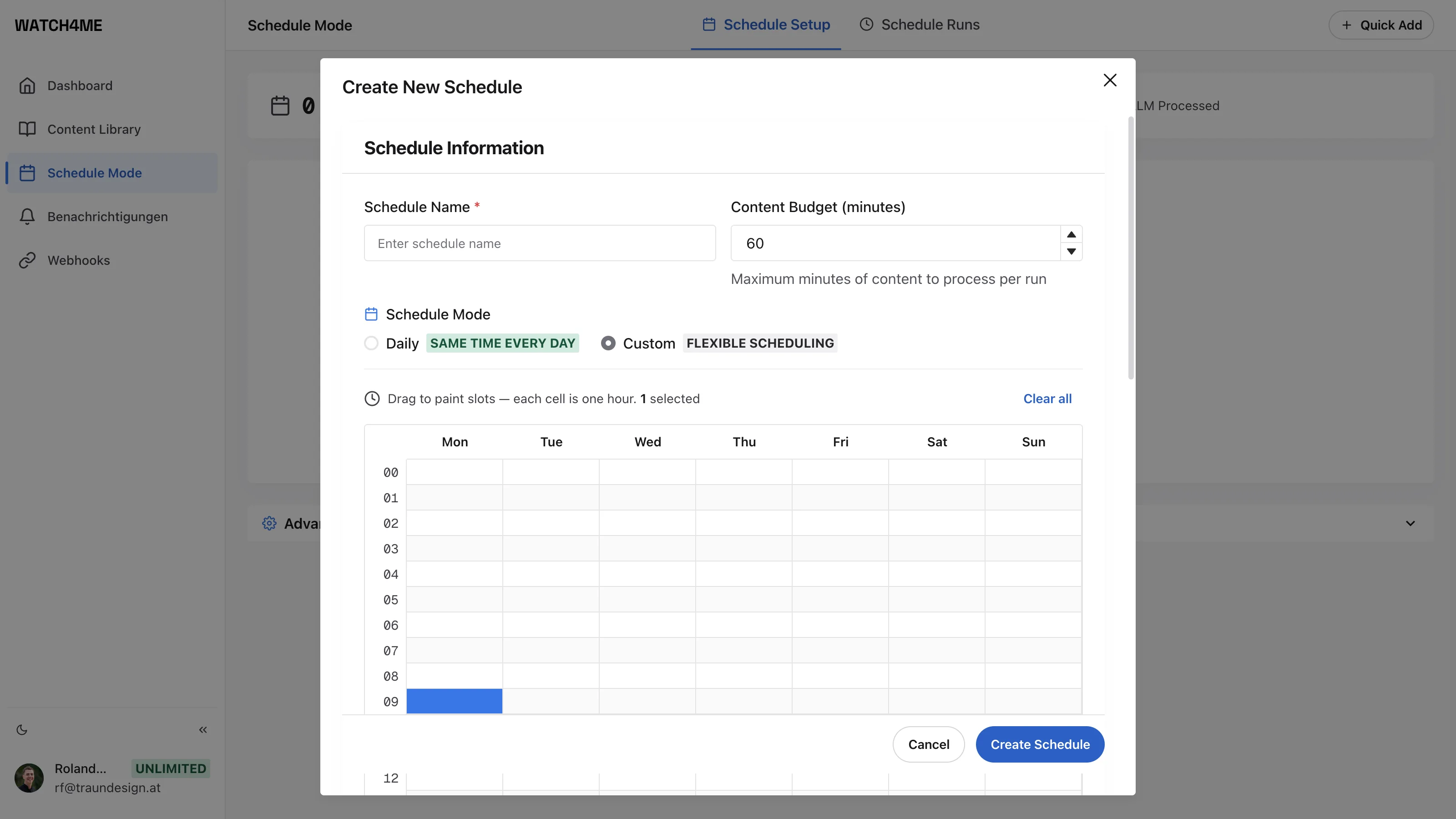
Statt Videos einzeln hinzuzufügen, öffnest du Zeitpläne, fügst einen Kanal hinzu und legst fest, wie oft WATCH4ME nachsehen soll. Neue Uploads werden von selbst transkribiert und analysiert.
Ergebnisse per E-Mail, Telegram oder an deine Tools optional
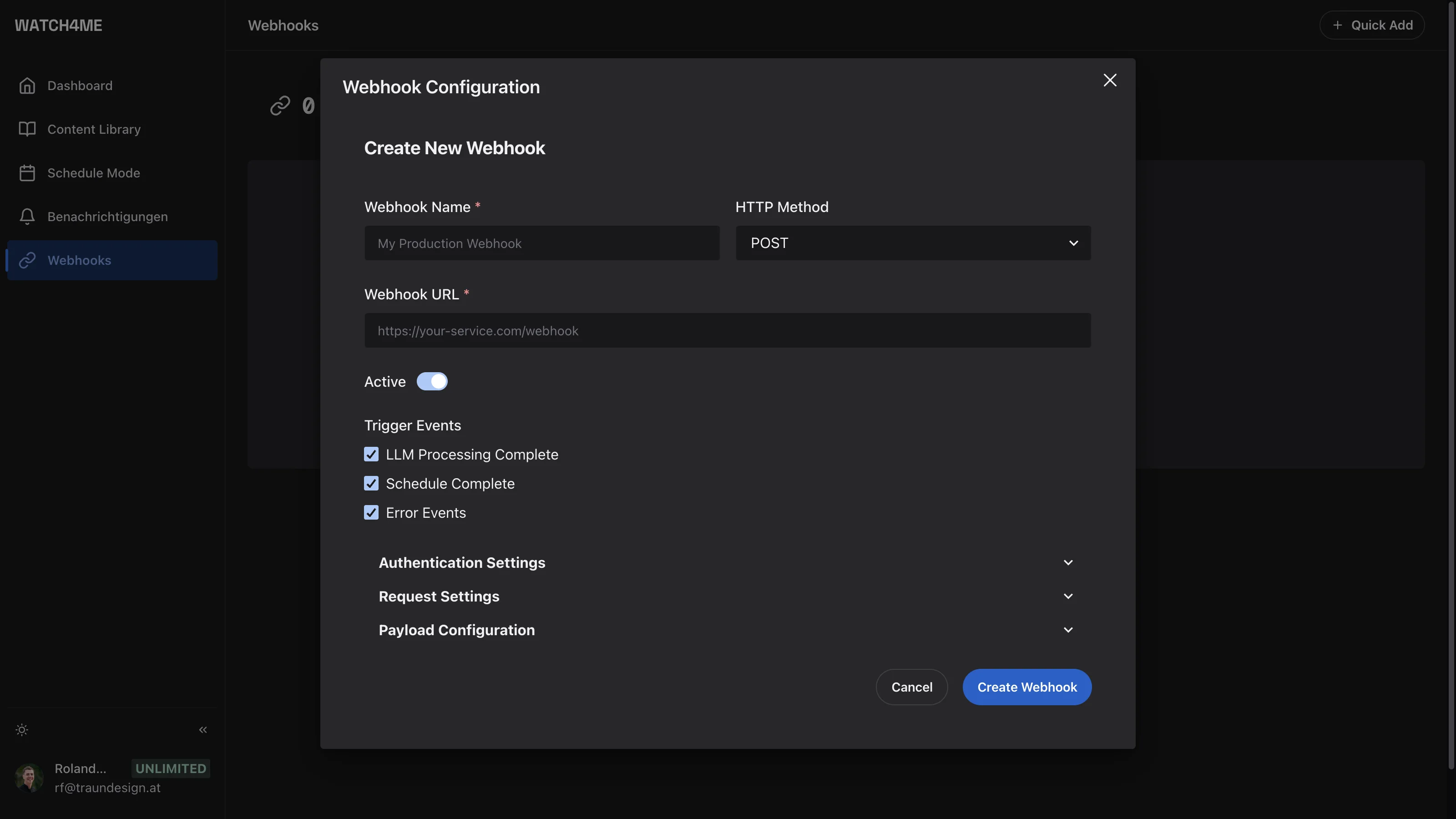
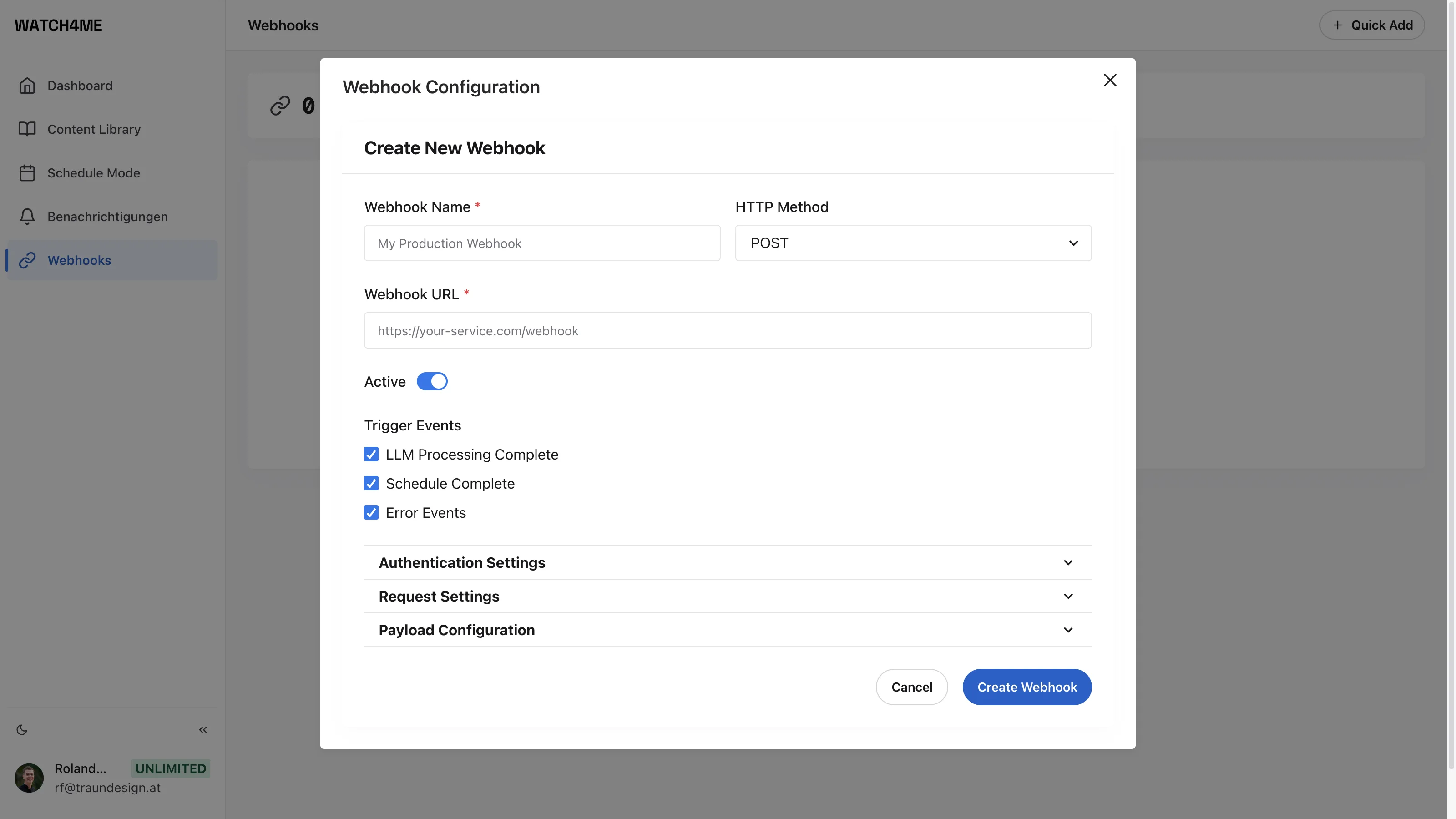
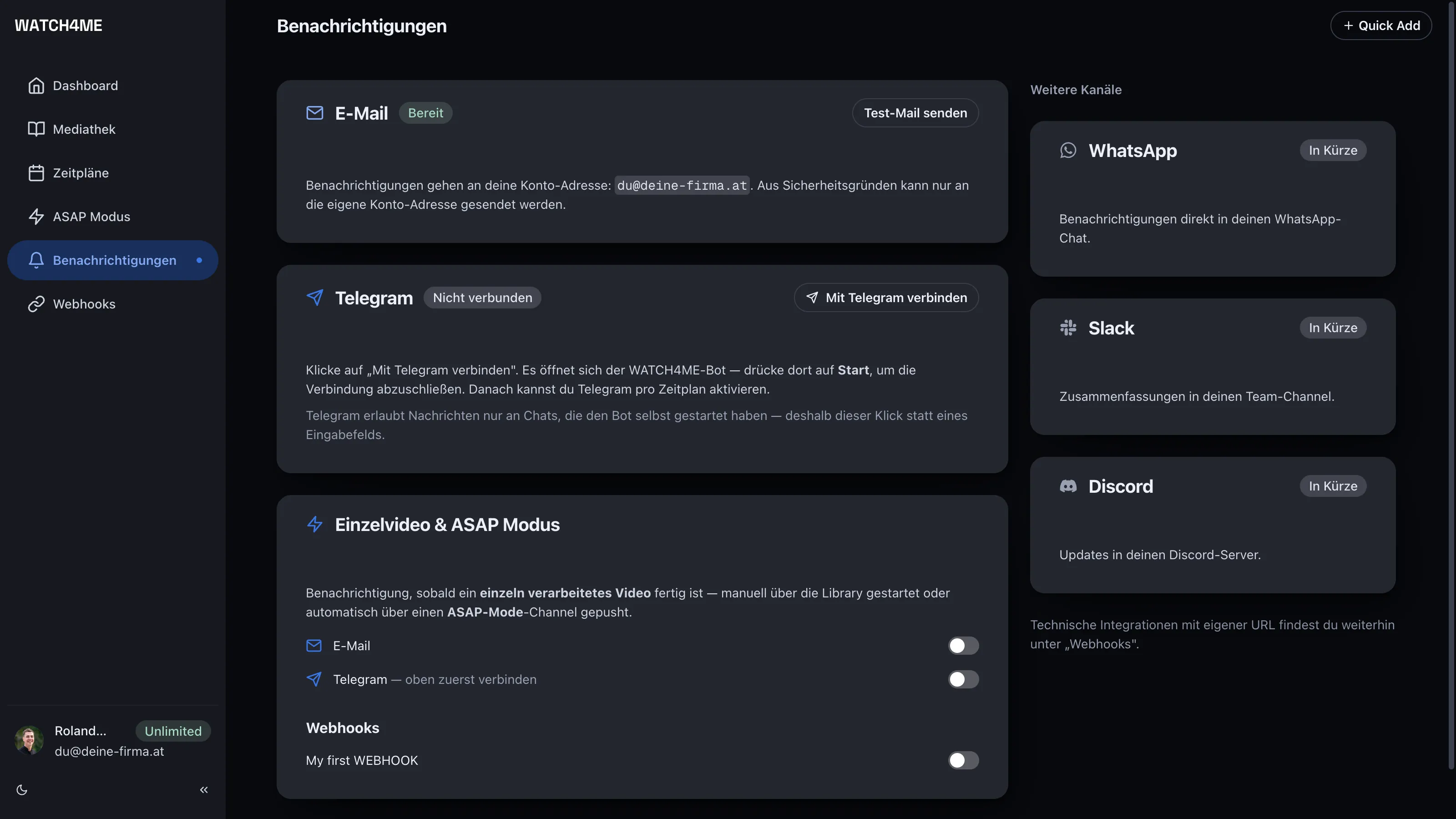
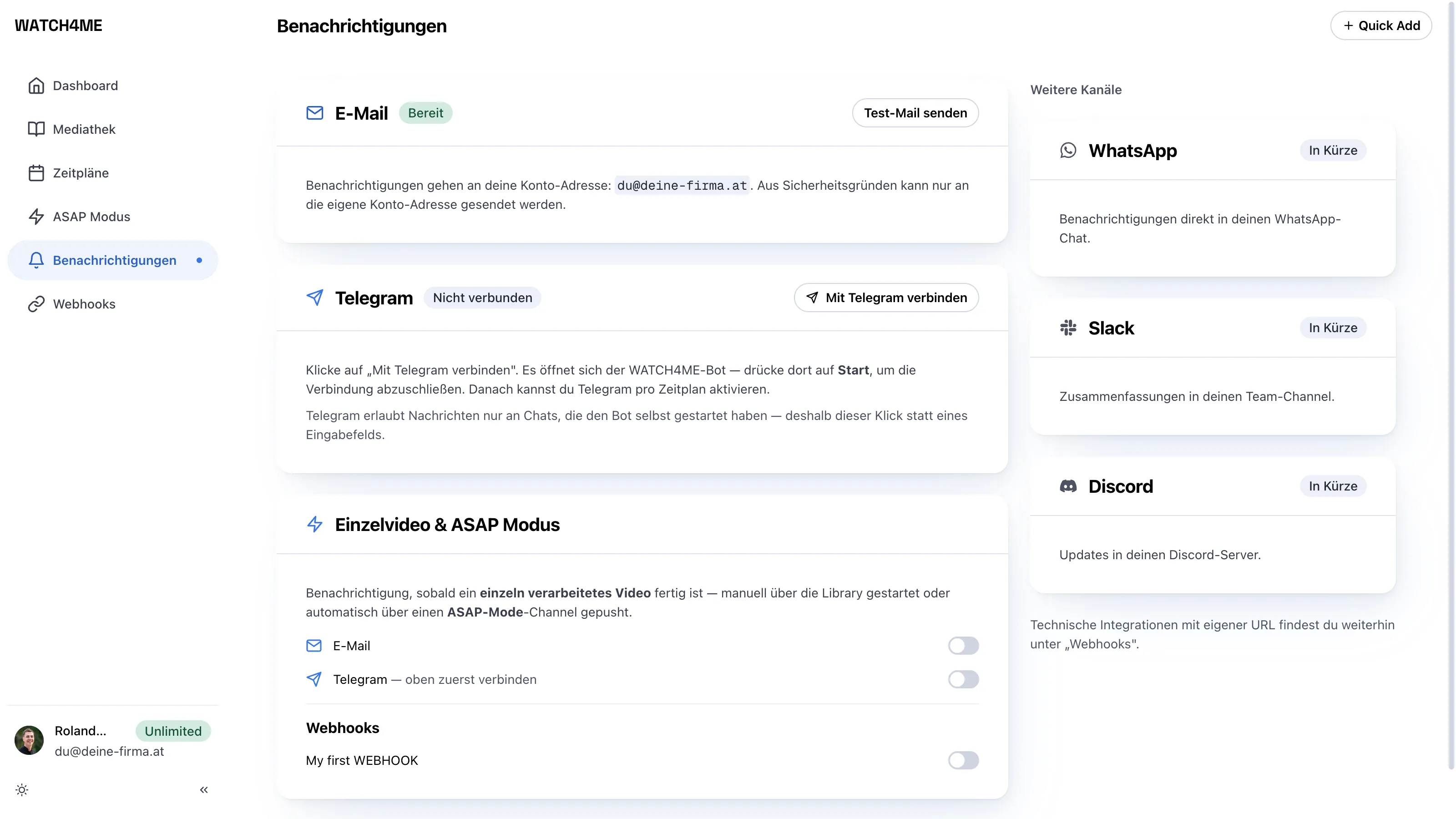
Unter Benachrichtigungen landen die Ergebnisse per E-Mail an deine Konto-Adresse oder per Telegram, sobald du den WATCH4ME-Bot verbunden hast. Du willst die Zusammenfassungen in Slack, Notion oder deinem CRM haben? Öffne Webhooks, trage eine Ziel-URL ein, und jedes Ergebnis wird automatisch dorthin geliefert. Die Details zum Payload stehen in der Webhooks-Dokumentation.
Das war's
Du hast jetzt eine Pipeline, die YouTube-Videos automatisch in durchsuchbaren Text und KI-Insights verwandelt.